How to Generate a Clean Cinematic Overhead Zebra Crossing Portrait
Learn how to create a stunning cinematic overhead shot of yourself on a zebra crossing - perfect for Instagram.
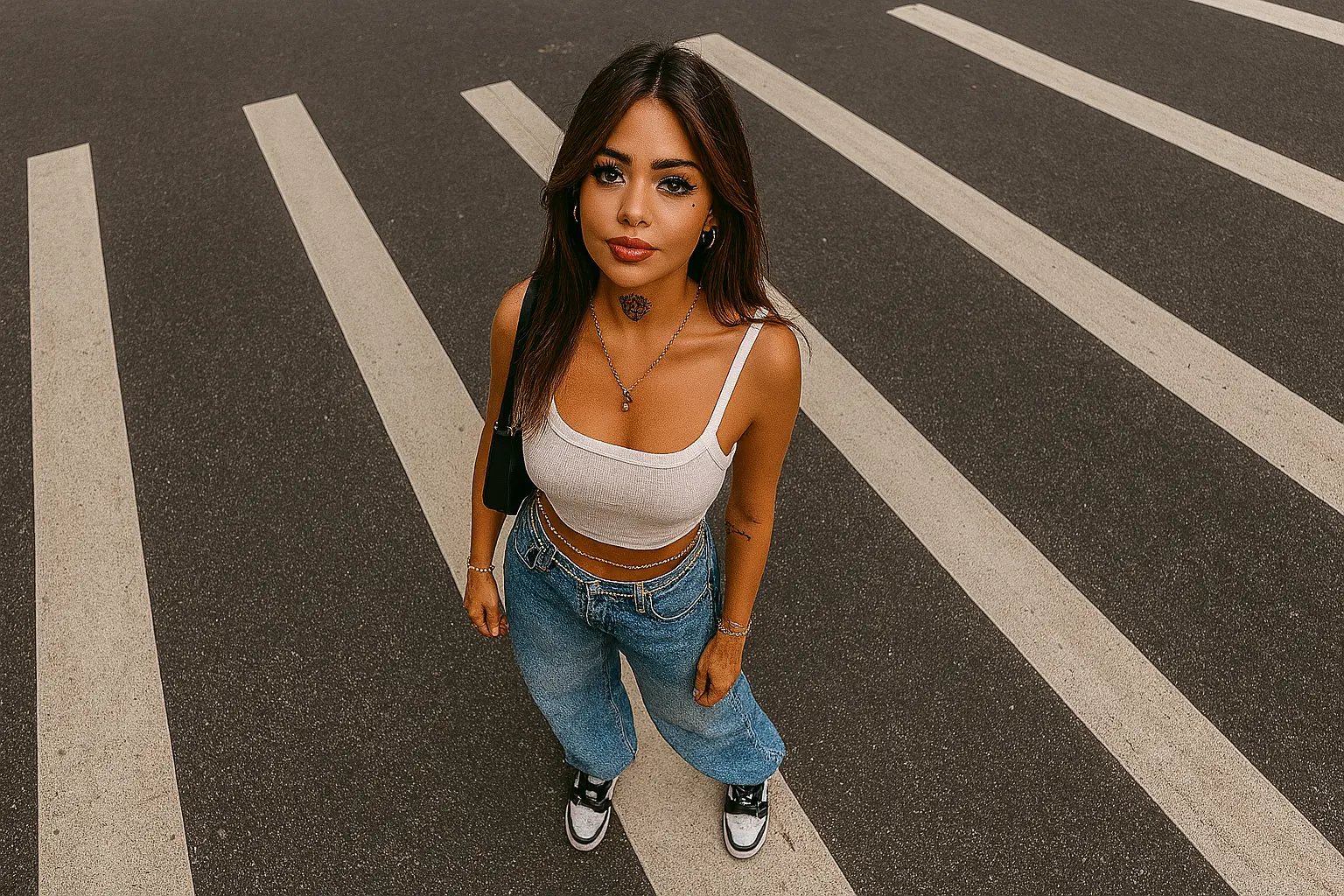
Step-by-Step Breakdown
1. Set the Scene
"A cinematic overhead shot of me standing on a zebra crossing" establishes the foundation for a dramatic street-style portrait with urban appeal.
The overhead perspective creates a unique, editorial look that stands out on social media feeds.
2. Accessorize Strategically
"Spotting a neck tattoo, a baggy jean, a crop top and kick sneakers, accessories and gold waist chains included" creates a detailed, fashionable aesthetic.
Key elements:
- Neck tattoo: Adds edge and personality
- Baggy jean + crop top: Trendy streetwear combo
- Gold waist chains: Luxury detail that catches light
- Multiple piercings: Completes the urban aesthetic
3. Emphasize Clean Execution
"Make it clean" is crucial — it tells the AI to prioritize sharp focus, clear composition, and professional-quality output rather than messy or overly artistic interpretations.
Variation Examples
| Variation | Effect |
|---|---|
| + "golden hour lighting" | Warm, flattering tones |
| + "rainy street reflection" | More dramatic, cinematic mood |
| + "urban graffiti background" | Street-style edge |
Tips & Best Practices
- Overhead Angle: Ensure you're shooting directly from above for the best effect
- Clean Lines: Keep the composition simple and uncluttered
- Lighting: Overhead shots work best in good natural light
- Posture: Stand naturally, avoid stiff poses
Frequently Asked Questions
Yes—replace "zebra crossing" with "crosswalk," "sidewalk," or "pedestrian bridge."
Shoot during golden hour for warm tones, or overcast for even, soft lighting.
Swap "crop top and baggy jean" with "blazer and trousers" for a more formal look.
Conclusion
This prompt creates a striking overhead street-style portrait that's perfect for social media. The combination of urban setting, trendy accessories, and clean execution delivers professional-quality results every time.
Final Prompt
Copy it or open it in the creator