How to Generate an Ultra-Realistic Editorial 4K Portrait with Dramatic Lighting
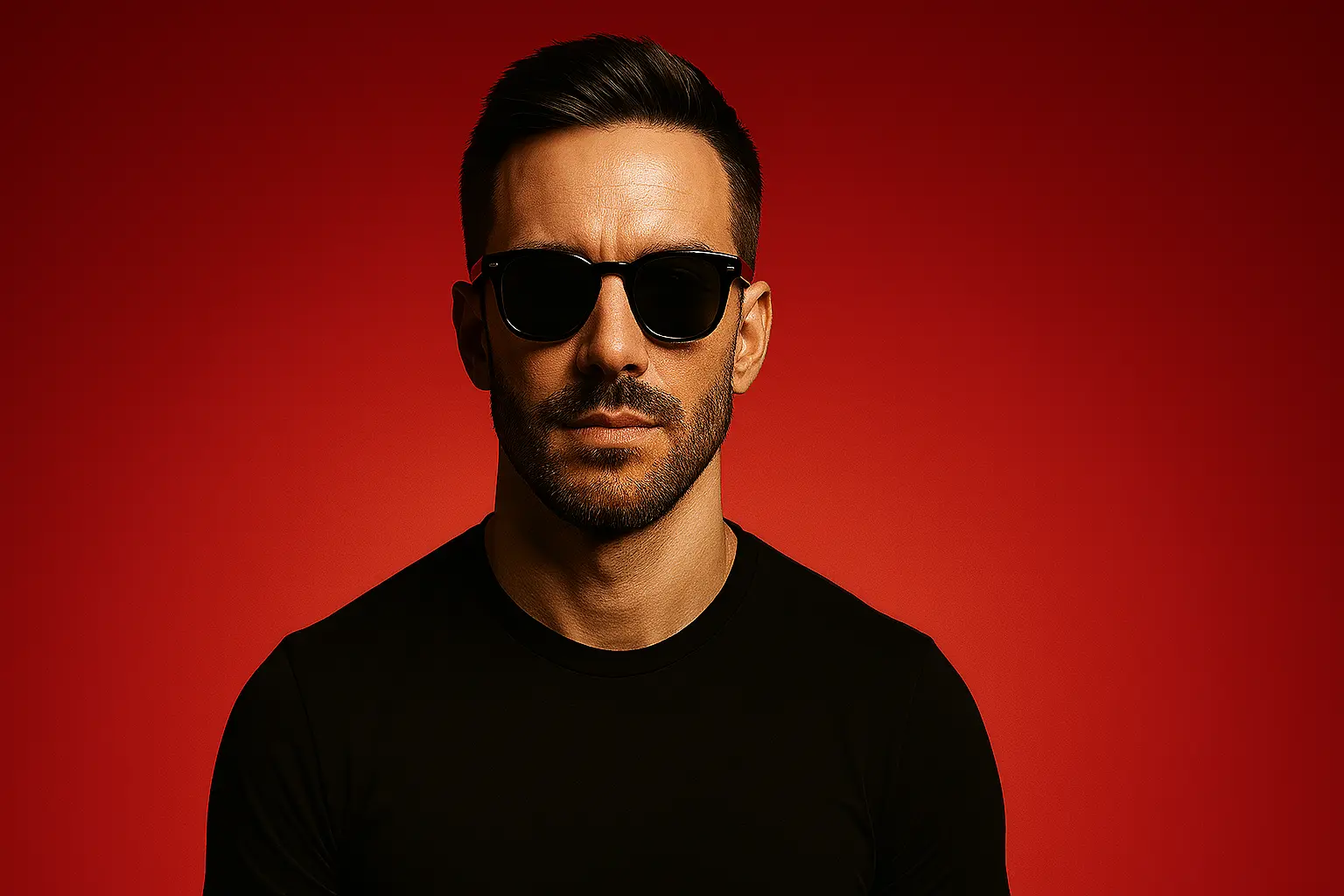
4K luxury portrait prompt: red gradient, cinematic lighting, symmetry
Step-by-Step Breakdown
1. Define the Portrait Style
"A highly stylized portrait" sets the foundation for editorial-quality imagery with sharp, defined features.
This approach emphasizes clean lines and professional styling.
2. Enhance Facial Features
"Sharp features, flawless fair skin" creates a polished, magazine-ready appearance.
The AI will focus on:
- Clean skin texture: Smooth, even complexion
- Defined facial structure: Enhanced cheekbones and jawline
- Professional finish: Editorial-quality retouching
3. Style the Outfit
"Wearing a black t-shirt, black sunglasses" creates a minimalist, high-fashion aesthetic.
Black clothing provides:
- Clean, timeless appeal
- Focus on facial features
- Professional styling
4. Create Bold Background
"Standing against a bold red gradient background" provides striking contrast and visual impact.
The red gradient:
- Makes the subject pop
- Creates editorial magazine vibes
- Adds luxury fashion appeal
5. Apply Dramatic Lighting
"Dramatic and cinematic lighting" emphasizes facial structure and creates depth.
Key lighting effects:
- High contrast: Strong light-shadow definition
- Facial sculpting: Enhanced bone structure
- Professional quality: Studio-grade illumination
6. Ensure High Quality
"Ultra-realistic, high-detail, 4K resolution, symmetrical composition" guarantees professional results.
Variation Examples
| Variation | Effect |
|---|---|
| + "soft rim lighting" | Adds subtle glow around edges |
| + "blue gradient background" | Creates cooler, modern aesthetic |
| + "white t-shirt" | Lighter, more casual appearance |
| + "matte black sunglasses" | More sophisticated eyewear style |
Tips & Best Practices
- Color Contrast: The red background against black clothing creates maximum visual impact
- Symmetrical Composition: Center the subject for balanced, professional framing
- Lighting Direction: Use front-facing dramatic light to enhance facial features
- Minimal Elements: Keep background simple to maintain focus on the subject
- Consistent Quality: Always specify "4K resolution" and "high-detail" for professional results
Frequently Asked Questions
Yes—replace "bold red gradient" with "deep blue gradient" or "golden gradient" for different moods.
Add "soft dramatic lighting" for gentler effects or "high-contrast lighting" for more intensity.
Swap "black t-shirt" with "white button-up shirt" or "dark blazer" for varied styling.
Replace "black sunglasses" with "aviator sunglasses" or "round vintage glasses" for different looks.
Conclusion
This tutorial demonstrates how to create high-end editorial portraits with dramatic lighting and bold backgrounds. The combination of minimalist styling and striking contrast creates images worthy of luxury fashion magazines.
Final Prompt
Copy it or open it in the creator